
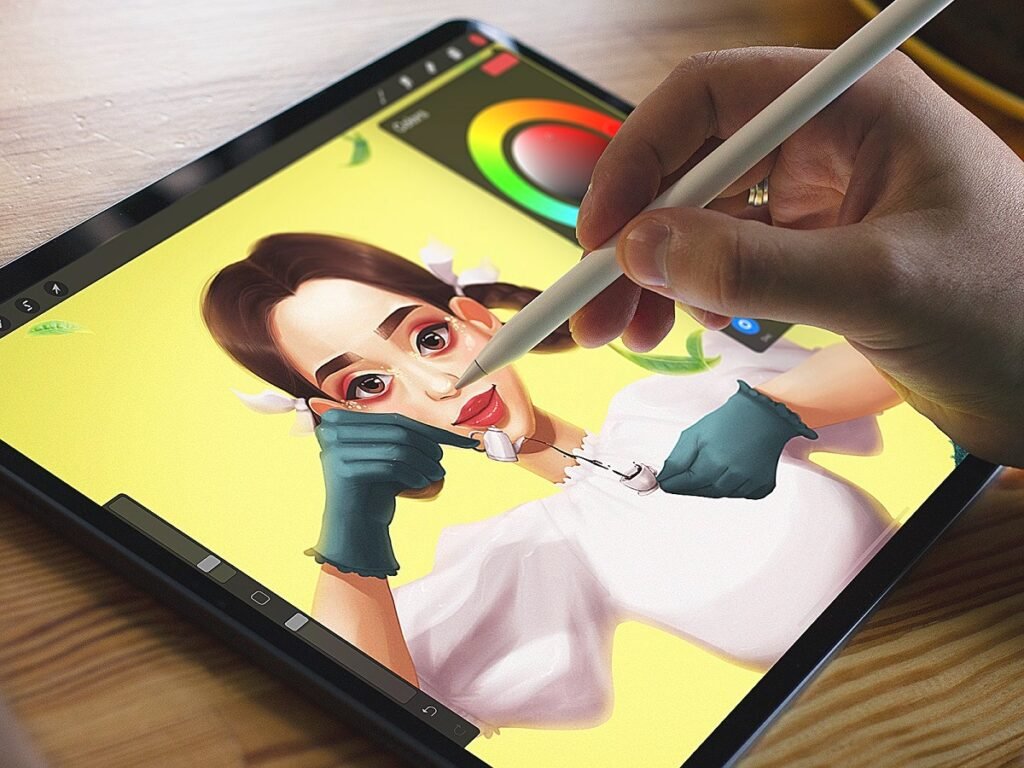
Learning digital illustration is much easier when you have the right app. The best digital illustration apps give you the tools to sketch, paint, colour, work with layers, practise different styles and improve your technique without making the learning process unnecessarily difficult.
But there is no single app that is best for everyone. An iPad user may prefer Procreate, while someone using a Windows laptop may get more value from Krita. Someone interested in manga may prefer Clip Studio Paint, while a beginner drawing on an Android phone may find ibisPaint easier to start with.
In this guide, we have compared seven of the best apps for learning digital illustration in 2026 based on their features, ease of use, supported devices and the type of artwork they are best suited for.
Best Digital Illustration Apps At A Glance
| App | Best For | Main Platforms | Cost |
|---|---|---|---|
| Procreate | iPad illustration and digital painting | iPad | Paid |
| Krita | Free digital painting | Windows, macOS, Linux | Free |
| Clip Studio Paint | Comics, manga and detailed illustration | Windows, macOS, iPad, iPhone, Android | Paid |
| Adobe Fresco | Painting and natural-media effects | iPad, iPhone, Windows | Free |
| ibisPaint | Mobile illustration and beginners | Android, iOS, Windows, Mac | Free/Paid options |
| Sketchbook | Simple sketching and drawing | Windows, macOS, Android, iOS | Free/Paid options |
| Affinity | Vector, pixel and professional illustration | Desktop and iPad | Free |
1. Procreate
Procreate is one of the best apps for learning digital illustration if you use an iPad.
The biggest reason for its popularity is how closely it makes digital drawing feel like traditional drawing. It has hundreds of built-in brushes covering pencils, inks, charcoal and painting styles, and the brushes can be customised to suit different techniques. It also works particularly well with Apple Pencil.
For someone learning illustration, Procreate provides enough tools to practise everything from simple sketches to finished character illustrations, digital paintings and concept art.
It also includes features such as layers, blending modes, selections, effects, drawing assistance and QuickShape. These allow beginners to start simply while giving them room to develop more advanced skills.
Another useful feature for learners is time-lapse recording. Procreate can record the creative process, allowing you to review how a drawing developed from the first sketch to the finished artwork.
Procreate also provides an official Beginners Series, so new users can learn how to use the app instead of trying to understand every feature on their own.
Best for
Procreate is best for beginners and experienced artists who use an iPad and want to learn digital painting, character illustration, concept art or general digital drawing.
Main limitation
Its biggest limitation is device compatibility. Procreate is designed for iPad, so it is not the right choice if you want to learn on a Windows computer or Android tablet.
2. Krita
Krita is arguably the best choice for anyone who wants to learn digital illustration without paying for professional software.
Krita is free and open source, and it is designed specifically for digital painting and creative work. Its official feature list includes more than 100 built-in brushes, brush stabilisers, multiple layers, drawing assistants, colour management, animation tools and PSD support.
This makes Krita much more than a basic free drawing application.
It is particularly useful for people learning digital painting because you can experiment with different brushes, layer structures, colours and techniques without having to worry about paying for the software.
Krita also has tools for perspective and straight-line drawing, which can be useful when learning the fundamentals of illustration. Its animation workspace allows users to create frame-by-frame animations as well.
Another advantage is that Krita can be used for commercial work. Its licence permits users to create commercial artwork with the application.
Best for
Krita is best for beginners who use Windows, macOS or Linux and want a powerful illustration application without a subscription.
Main limitation
Krita has more features than a complete beginner may need. Its interface can therefore take some time to understand, especially if you have never used digital art software before.
3. Clip Studio Paint
Clip Studio Paint is one of the strongest choices for people interested in comics, manga, webtoons, character art and detailed illustration.
The application is available across Windows, macOS, iPad, iPhone and Android. Its current version includes improvements to drawing performance, brushes, watercolour effects, rendering and 3D features.
One of its biggest advantages is the number of specialised tools available for illustration.
For example, artists can use brushes, rulers, 3D models, vector lines, colouring tools, layers and transformation features. Its comic tools also include panel creation, text and speech balloons, effects and tones.
This makes it particularly useful if you want to learn structured illustration rather than simply sketching.
For example, someone who wants to become a manga artist can learn drawing, inking, colouring, panel arrangement and character development within the same application.
Clip Studio Paint also offers a simpler interface for beginners on mobile devices while providing a more advanced Studio Mode when you need more control. It supports devices such as Apple Pencil and Galaxy S Pen.
Best for
Clip Studio Paint is best for comics, manga, webtoons, character illustration and detailed digital artwork.
Main limitation
It has a large number of tools, which can feel overwhelming when you are completely new to digital illustration.
4. Adobe Fresco
Adobe Fresco is a strong option for beginners who want to learn digital painting and drawing, particularly if they like the appearance of traditional art.
Adobe describes Fresco as a professional drawing and painting application with thousands of brushes. It includes raster brushes, vector brushes and live brushes designed to create effects similar to traditional media such as watercolour and oil.
One major advantage in 2026 is that Adobe Fresco is available as a free application. Adobe says the app includes professional-level drawing and painting features, unlimited layers and thousands of vector, raster and live brushes.
Fresco is also useful for people who want to explore animation. It includes tools for frame-by-frame animation, motion paths and motion presets.
The app is available on iPad, iPhone and Windows, making it more flexible than some tablet-only drawing applications. Adobe has also continued releasing updates in 2026, including improvements to the interface, shapes and other creative tools.
Best for
Adobe Fresco is best for digital painting, sketching, natural-media effects and beginners who want a free professional-level drawing application.
Main limitation
Its strongest experience is still tied to touch and stylus-enabled devices, so your hardware can have a major effect on how enjoyable it is to use.
5. ibisPaint
ibisPaint is one of the best choices for people who want to learn digital illustration on a phone or tablet.
This is particularly useful for beginners who may not have an expensive computer or iPad. ibisPaint supports Android, iPhone, iPad, Windows and Mac, allowing users to practise on the device they already own.
The application provides a wide range of drawing tools, brushes, layers and other features needed for digital illustration. It also supports cloud storage, allowing artwork to be accessed across supported devices.
ibisPaint is especially popular for manga and anime-style artwork, although it can be used for many other forms of digital illustration.
There is also a free version, while paid options provide additional features and remove advertising. ibisPaint’s official pricing information notes that prices can vary by app store and country.
Best for
ibisPaint is best for beginners who want to learn digital illustration using an Android phone, iPhone, tablet or computer.
Main limitation
The mobile-first interface can feel less comfortable than a full desktop application when working on large or highly detailed illustrations.
6. Autodesk Sketchbook
Sketchbook is a good option if your main goal is to learn how to draw and sketch digitally without being distracted by a complicated interface.
Sketchbook is designed around drawing and provides a clean interface with tools such as layers, blend modes, customisable brushes, rulers, guides and stroke tools.
It also has hundreds of brush types, including pencils, markers, airbrushes, paint and smear brushes. Its Predictive Stroke tool can help produce smoother lines, while symmetry tools can make certain types of drawing easier.
Another advantage is its support for different devices. Sketchbook Pro is available on Windows and macOS, while the mobile version is available on Android and iOS.
This makes it a useful starting point for someone who wants to practise drawing fundamentals before moving into more advanced illustration software.
Best for
Sketchbook is best for sketching, drawing practice, brainstorming and beginners who want a simple interface.
Main limitation
It is less specialised than Clip Studio Paint for comics or Procreate for advanced iPad illustration, so artists may eventually need a more specialised application.
7. Affinity
Affinity is worth considering if you want to move beyond basic drawing and learn professional design and illustration workflows.
There is an important 2026 update here. Affinity has evolved considerably, with vector, pixel and layout capabilities brought together in a broader creative environment. The application is now available as a free download and also includes Canva features and AI tools within the workflow.
This makes Affinity different from applications that focus almost entirely on digital painting.
Its vector capabilities are particularly useful for creating artwork that needs to remain sharp at different sizes. It can therefore be useful for illustrations, logos, icons, branding assets and other design work.
The 2026 updates have also added features such as converting pixel selections into editable vector curves, which can be useful when moving between raster and vector artwork.
Best for
Affinity is best for learners who want to combine illustration with vector design, layout and broader professional creative work.
Main limitation
If your only goal is traditional-style digital painting, a dedicated painting application such as Procreate, Krita or Fresco may be more suitable.
How To Choose The Best Digital Illustration App
Choosing the best digital illustration app is easier when you first decide what you actually want to draw.
If you have an iPad and want a simple but powerful drawing experience, Procreate is an excellent place to start.
If you use a Windows, Mac or Linux computer and want a free professional painting application, Krita is difficult to ignore.
If your goal is manga, comics or webtoons, Clip Studio Paint has specialised tools that make it a particularly strong choice.
If you want realistic digital painting and traditional-looking brushes, Adobe Fresco is worth trying.
If you are learning on an Android phone or another mobile device, ibisPaint gives you a surprisingly capable environment without requiring expensive hardware.
If you mainly want to practise sketching and improve your drawing, Sketchbook provides a cleaner and simpler experience.
And if you want to combine illustration with vector design and broader creative work, Affinity is worth considering.
Think About Your Device
Your device should be one of the first things you consider.
There is little point choosing an application simply because it is popular if it does not work well on the device you already own.
For example, Procreate is built specifically for iPad, while Krita is a strong option for desktop users. Clip Studio Paint and ibisPaint are more flexible if you want to move between different types of devices.
Think About The Type Of Illustration You Want To Learn
Your preferred style also matters.
Someone learning character art may want different tools from someone learning technical illustration. Someone interested in manga will have different requirements from someone interested in digital painting.
This is why there is no universal winner.
The right application is the one whose tools match the type of work you want to create.
Do Not Ignore Your Hardware
Your drawing application is only part of the experience.
A stylus can make a major difference because pressure sensitivity, tilt and natural pen movement can make digital drawing feel much closer to drawing on paper.
You also do not necessarily need expensive equipment to begin. A beginner can start with a phone, tablet or basic drawing setup and upgrade later as their skills improve.
Frequently Asked Questions
What is the best app for learning digital illustration?
Procreate is one of the best options for iPad users, while Krita is one of the best free options for desktop users. The best choice depends on your device and the type of illustration you want to learn.
What is the best free app for digital illustration?
Krita and Adobe Fresco are two of the strongest free options. Krita is particularly strong for desktop digital painting, while Fresco is designed for drawing and painting on supported touch and stylus devices.
Can I learn digital illustration on my phone?
Yes. Apps such as ibisPaint and Clip Studio Paint allow you to practise digital illustration on supported smartphones. ibisPaint supports both Android and iOS devices, while Clip Studio Paint is also available on iPhone and Android.
Do I need an iPad to learn digital illustration?
No. An iPad can provide an excellent drawing experience, especially with Procreate, but it is not required. You can learn using a Windows or Mac computer, Android device or other supported hardware.
Which app is best for digital art beginners?
For a beginner, simplicity matters. Procreate and Sketchbook are good options for iPad and general sketching respectively, while Krita and ibisPaint are strong choices if you want free or low-cost options.
Conclusion
The best apps for learning digital illustration in 2026 are not necessarily the apps with the largest number of features. What matters more is whether the app makes it easy for you to practise regularly, understand the tools and improve your drawing.
If you have an iPad, Procreate is an excellent starting point. If you want a free desktop option, Krita is hard to beat. For comics and manga, Clip Studio Paint stands out. Adobe Fresco is particularly attractive for digital painting, while ibisPaint is a practical choice for mobile learners. Sketchbook is ideal for simple drawing practice, and Affinity is a strong option for people who want illustration alongside professional design work.
Most importantly, do not spend too much time searching for the perfect app and too little time actually drawing. The software can give you brushes, layers and useful tools, but it cannot develop your artistic eye for you.
Choose an app that fits your device, start learning the fundamentals of drawing and use it consistently. Your skill will ultimately matter far more than the name of the application you use.